
PICK YOUR AI THEME TO GET STARTED

WEBSITE LOGOS
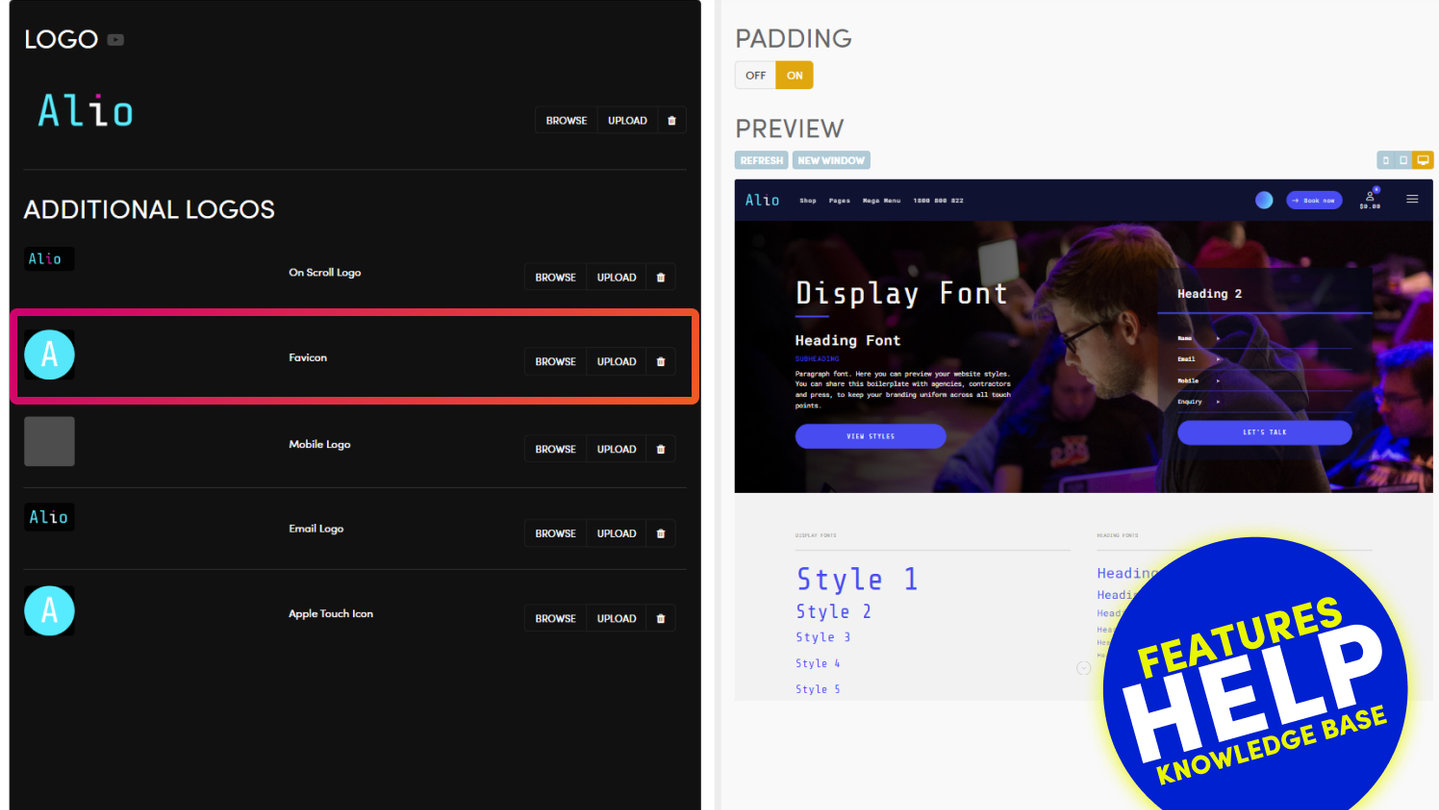
All of your logos live on one screen. In the Main Menu (the MOBLE logo, top left) scroll down and click Styles, then click LOGOS in the top bar.
THE SIX LOGOS
- LOGO — your main logo, shown in the header on every page.
- On Scroll Logo — shown once the page has scrolled and the header changes colour. Use it when your main logo would disappear on the new header colour.
- Favicon — the small icon in the browser tab. See Adding a Favicon.
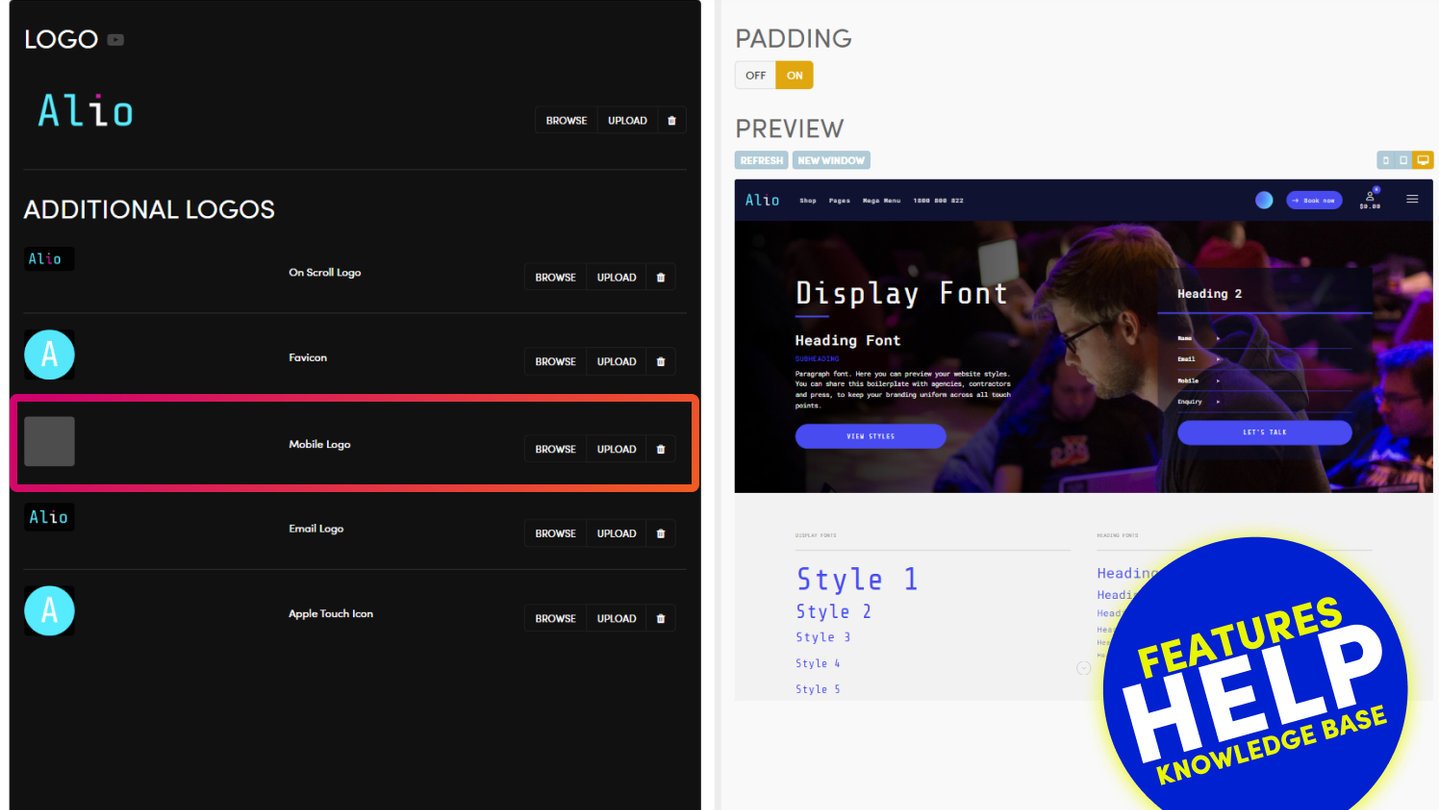
- Mobile Logo — a simpler version for small screens, for example just the icon. See Mobile Logo.
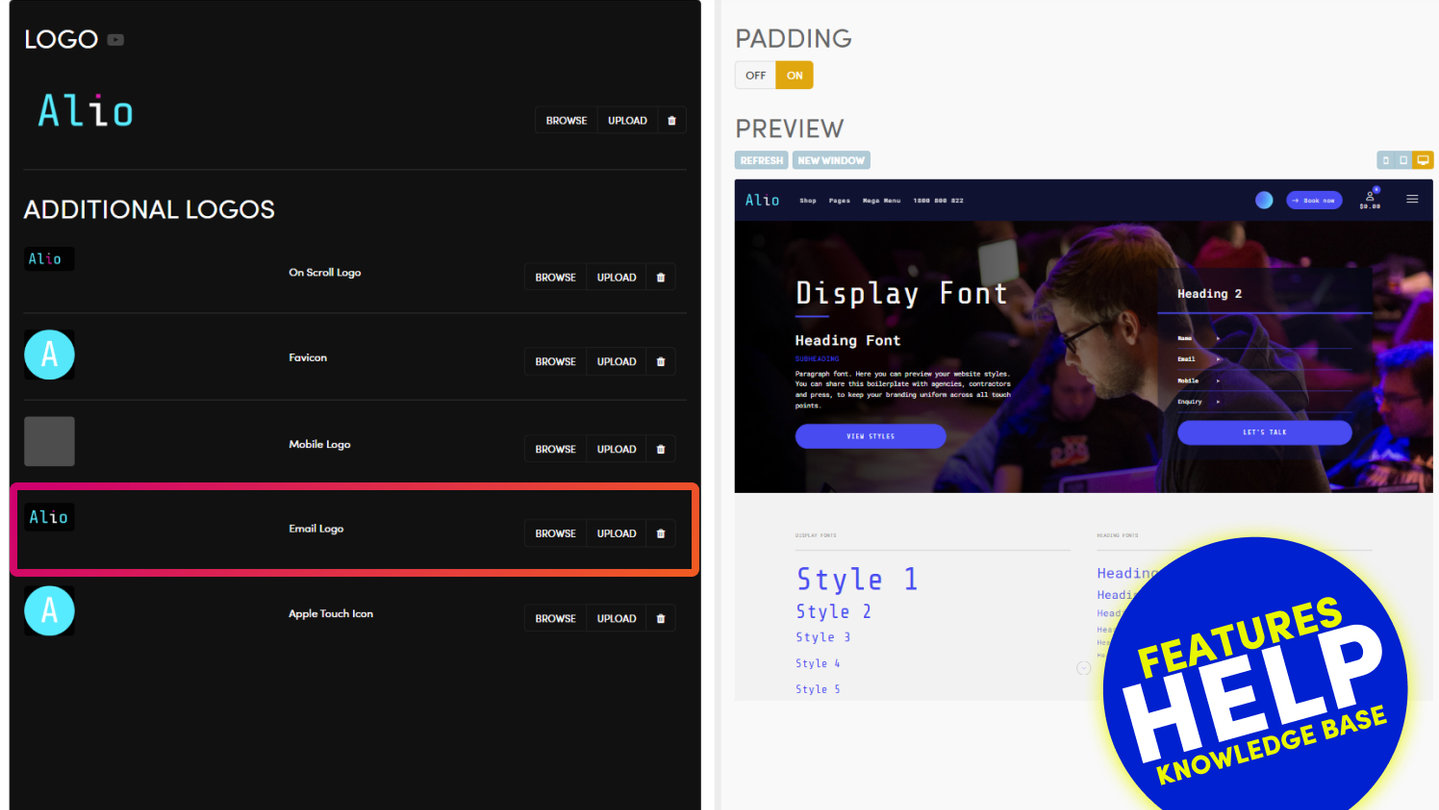
- Email Logo — shown in the emails your website sends. See Email Logo.
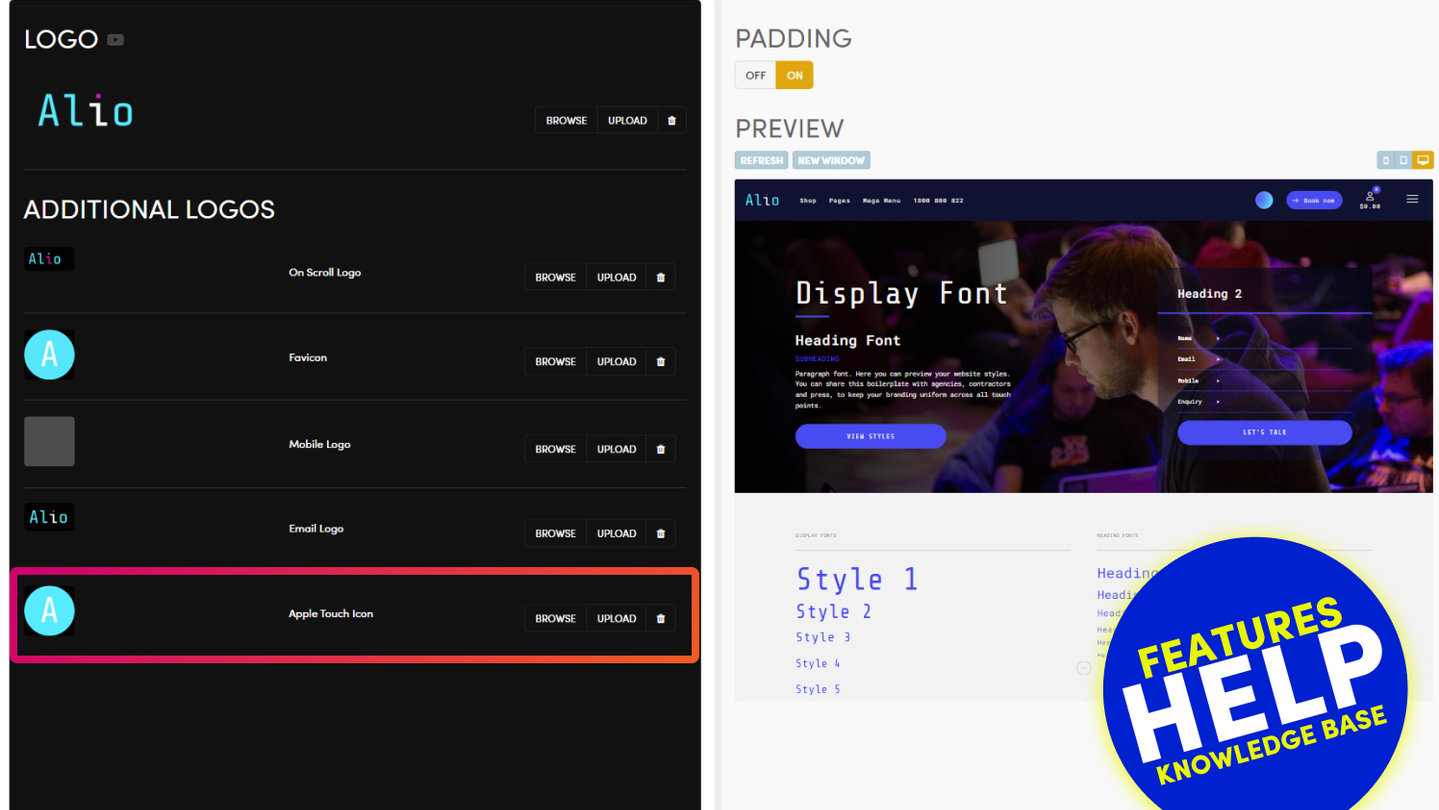
- Apple Touch Icon — the icon on a phone's home screen. See Apple Touch Icon.
Each one has BROWSE (pick a file already on your site), UPLOAD (from your computer) and a bin to remove it.
TOP TIPS
- For a logo at the top left, aim for a rectangle around 400 x 100px, no wider.
- Use a PNG with a transparent background, or an SVG. A white box behind your logo on a dark header means the white is inside the file.
- A blurry logo is a file smaller than the space it fills. Upload a larger PNG, or an SVG, which stays sharp at any size.
- The Favicon and the Apple Touch Icon are square.
- PADDING OFF / ON on the right sets the space around your logo in the header. OFF gives the logo more room.
SAVE AND CHECK
Press SAVE at the top right. Nothing is kept until you do.
Then refresh your website. Browsers hold on to an old favicon for a long time, so check a new one in a private window. A phone keeps a home-screen icon until it is removed and added again.
RELATED HELP

Play before you Pay?
GETTING AROUND
SUPPORT
AI SALES LINE
AI SUPPORT LINE
ENQUIRIES
team@moble.com.au
GET A QUOTE
A Web Builder for Design. A CMS for Business. We serve all businesses from SME's to Enterprise. Talk with us for AI development, custom website design, website development, ecommerce websites, directories, intranets and social networks.
PRIVACY | WEBSITE TERMS | PLATFORM TERMS | © 2026 MOBLE PTY LTD