
PICK YOUR AI THEME TO GET STARTED

WEBSITE ELEMENTS
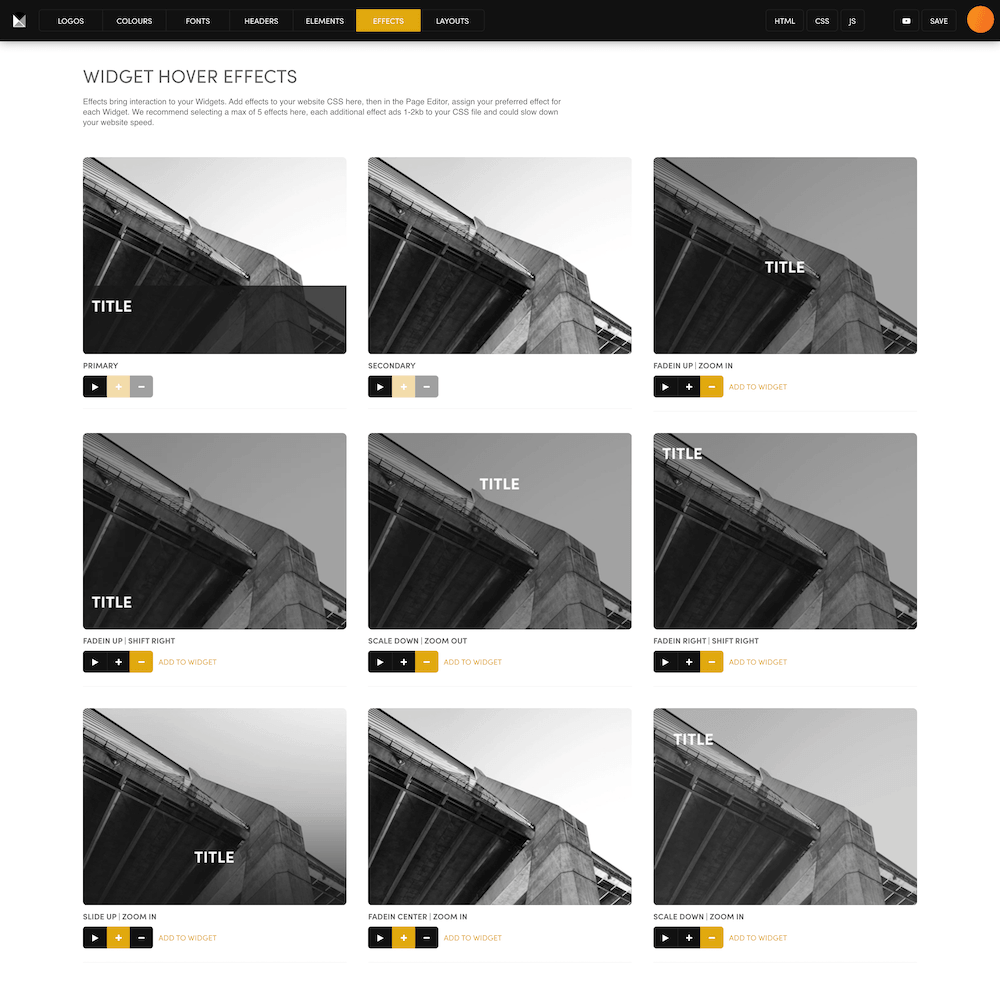
Elements has two groups that work in different ways. GLOBAL changes every page the moment you save. DEFAULTS only shape the layouts you drop onto a page from now on.
WHERE TO FIND IT
In the Main Menu (the MOBLE logo, top left) scroll down and click Styles, then click ELEMENTS in the top bar.
GLOBAL — CHANGES EVERY PAGE NOW
- BUTTONS — SQUARE, ROUND, ROUNDER or ROUNDEST. Every button on your website changes shape at once.
- NAVIGATION INDICATORS and ICONS — leave these as they are for now. They are still being finished.
AFTER YOU CHANGE YOUR BUTTONS
Your buttons change everywhere, but rounded corners saved on your pages do not. Widget cards, columns, panels and images keep the corners they were built with, and some frames are rounded only on the top.
Open a page with cards and look. If you want them to match your new button shape, the AI in your Drawer can bring them into line page by page. To change one frame yourself, use Border Radius in that frame's tools — see Borders.
DEFAULTS — NEW LAYOUTS ONLY
- PADDING — the space inside each section: Off, Tight (16), Regular (32) or Loose (64), plus the content width: None, 1280px or 1440px.
- WIDGET CARD — the space around each card: TOP/BOTTOM PADDING and SIDES PADDING.
- WIDGET LIST — the SPACING between items in a list.
These do not change anything already on your pages. Choose them before you build. On phones, all padding becomes 16px.
Widget card tip: if your card background is the same colour as the section behind it, set SIDES PADDING to off so the cards line up with your headings.
RELATED HELP

Play before you Pay?
GETTING AROUND
SUPPORT
AI SALES LINE
AI SUPPORT LINE
ENQUIRIES
team@moble.com.au
GET A QUOTE
A Web Builder for Design. A CMS for Business. We serve all businesses from SME's to Enterprise. Talk with us for AI development, custom website design, website development, ecommerce websites, directories, intranets and social networks.
PRIVACY | WEBSITE TERMS | PLATFORM TERMS | © 2026 MOBLE PTY LTD