
PICK YOUR AI THEME TO GET STARTED

TRACKING CODES
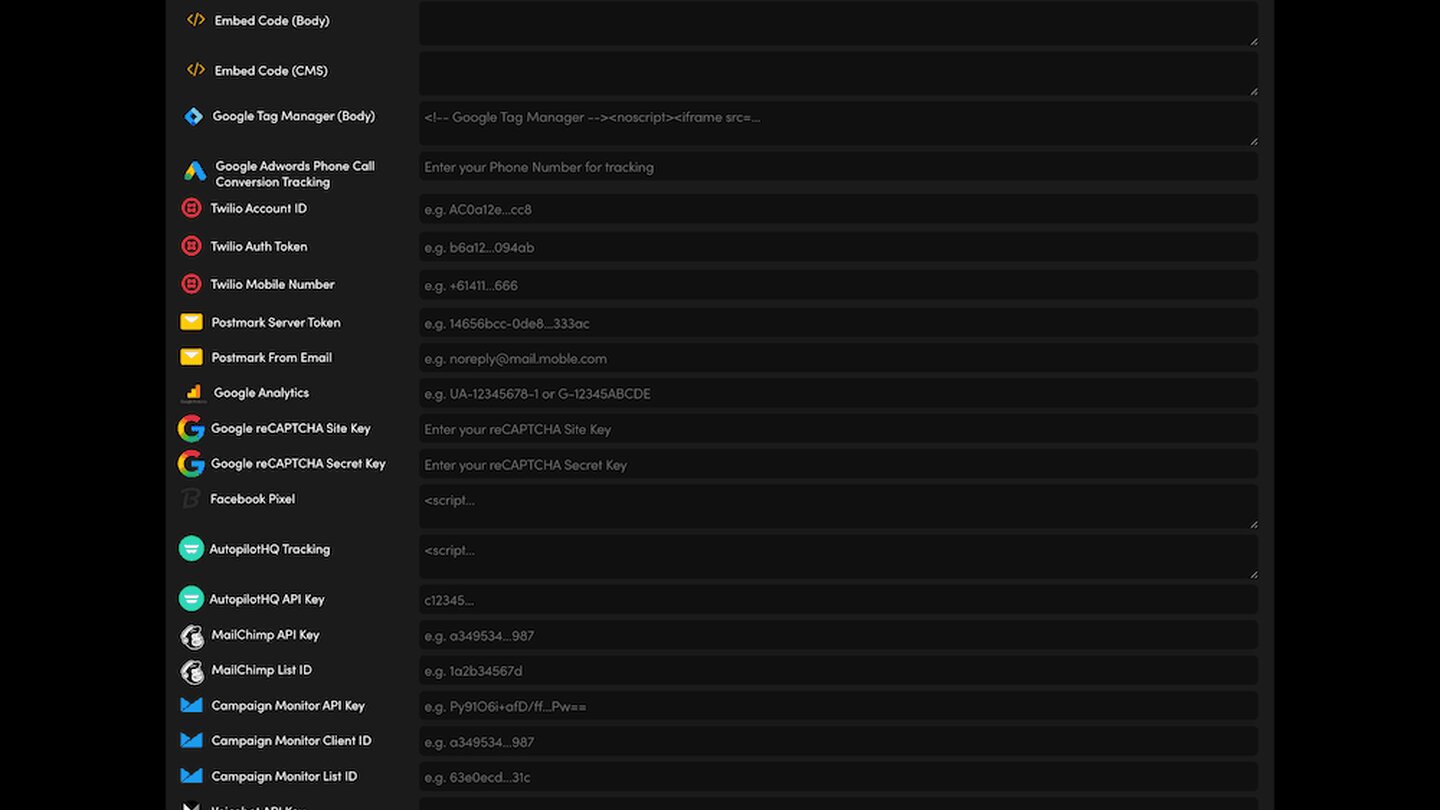
Global Settings has a field for each popular tracking tool, plus embed code fields for anything else. Whatever you add there runs on every page of your website.
THE FIELDS
- Google Analytics — your measurement ID (for example G-…).
- Google Tag Manager — the head script goes in Embed Code (Head) and the noscript part in Google Tag Manager (Body).
- Facebook Pixel, Hubspot Tracking, ActiveCampaign Tracking Code and AutopilotHQ Tracking — paste the code each tool gives you.
- Google Adwords Phone Call Conversion Tracking — the phone number you want to track.
- Embed Code (Head) and Embed Code (Body) — for any other tool that asks you to add code to your website.
HOW TO ADD ONE
- Copy the code or ID from the tool's own account.
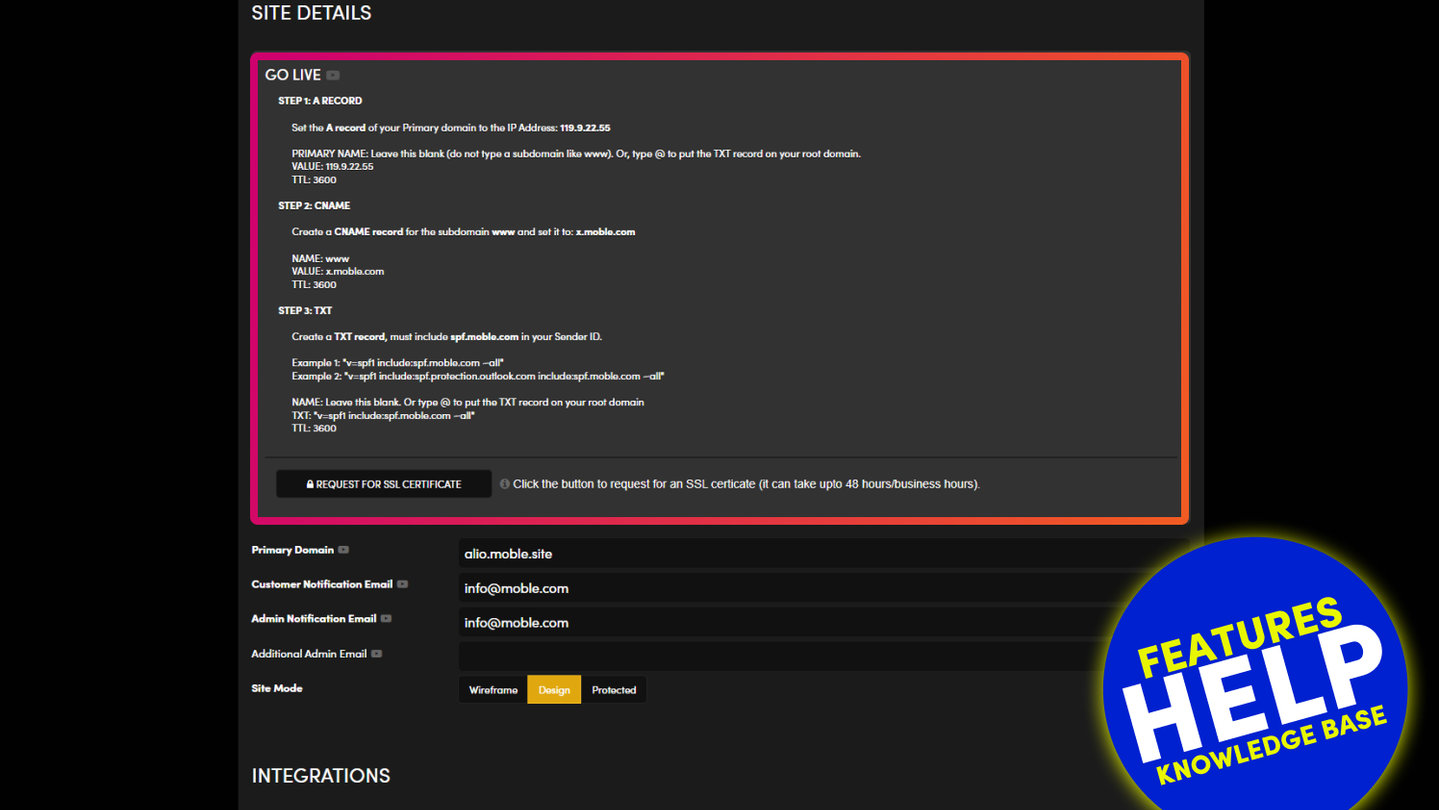
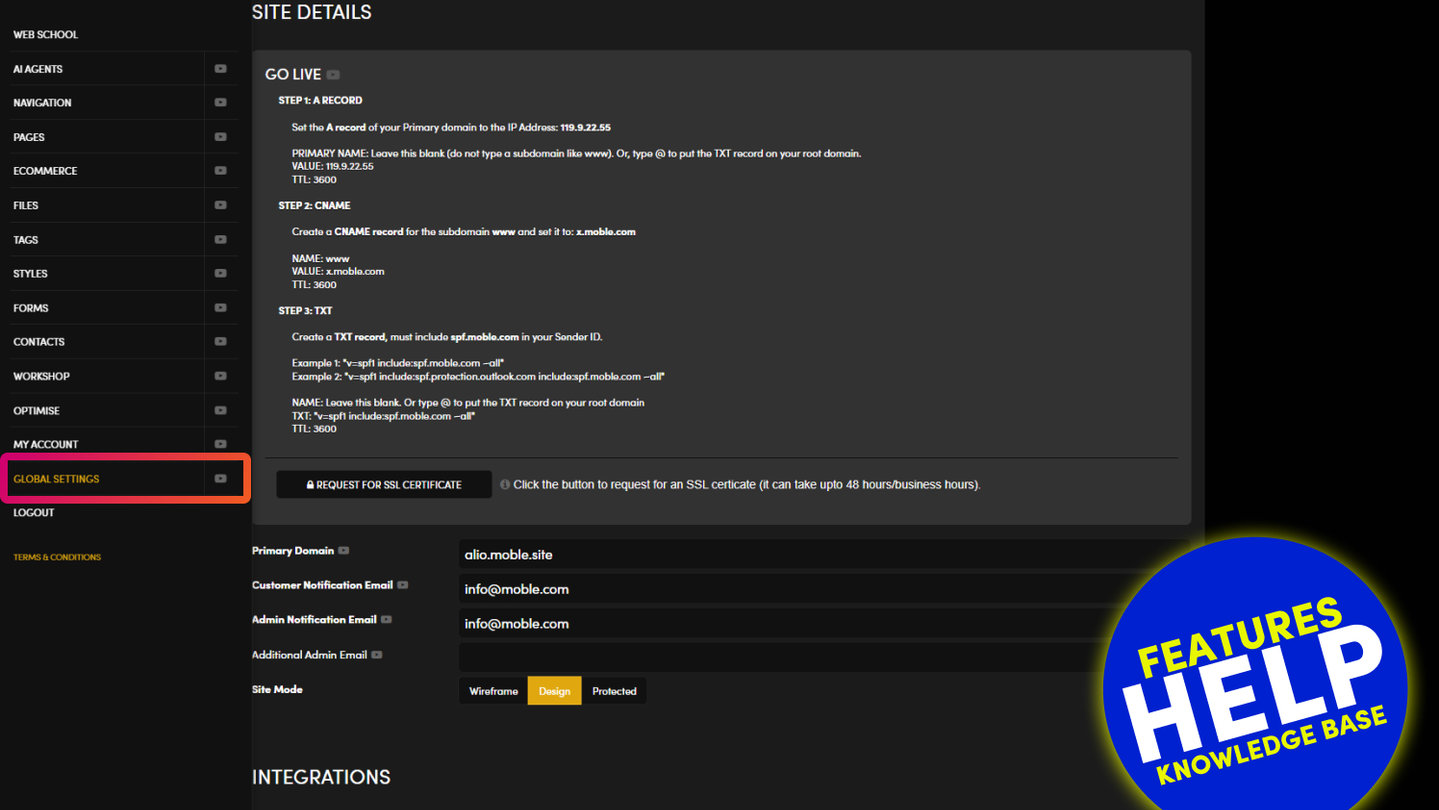
- Go to Global Settings, scroll to INTEGRATIONS and paste it into the matching field.
Press SAVE at the top right. Nothing on the screen is kept until you do.
CHECK IT WORKED
Open your website, then look at the tool's own live or real-time view (for example Google Analytics Realtime or Tag Manager's preview). Your visit should show.
RELATED HELP

Play before you Pay?
GETTING AROUND
SUPPORT
AI SALES LINE
AI SUPPORT LINE
ENQUIRIES
team@moble.com.au
GET A QUOTE
A Web Builder for Design. A CMS for Business. We serve all businesses from SME's to Enterprise. Talk with us for AI development, custom website design, website development, ecommerce websites, directories, intranets and social networks.
PRIVACY | WEBSITE TERMS | PLATFORM TERMS | © 2026 MOBLE PTY LTD