
PICK YOUR AI THEME TO GET STARTED

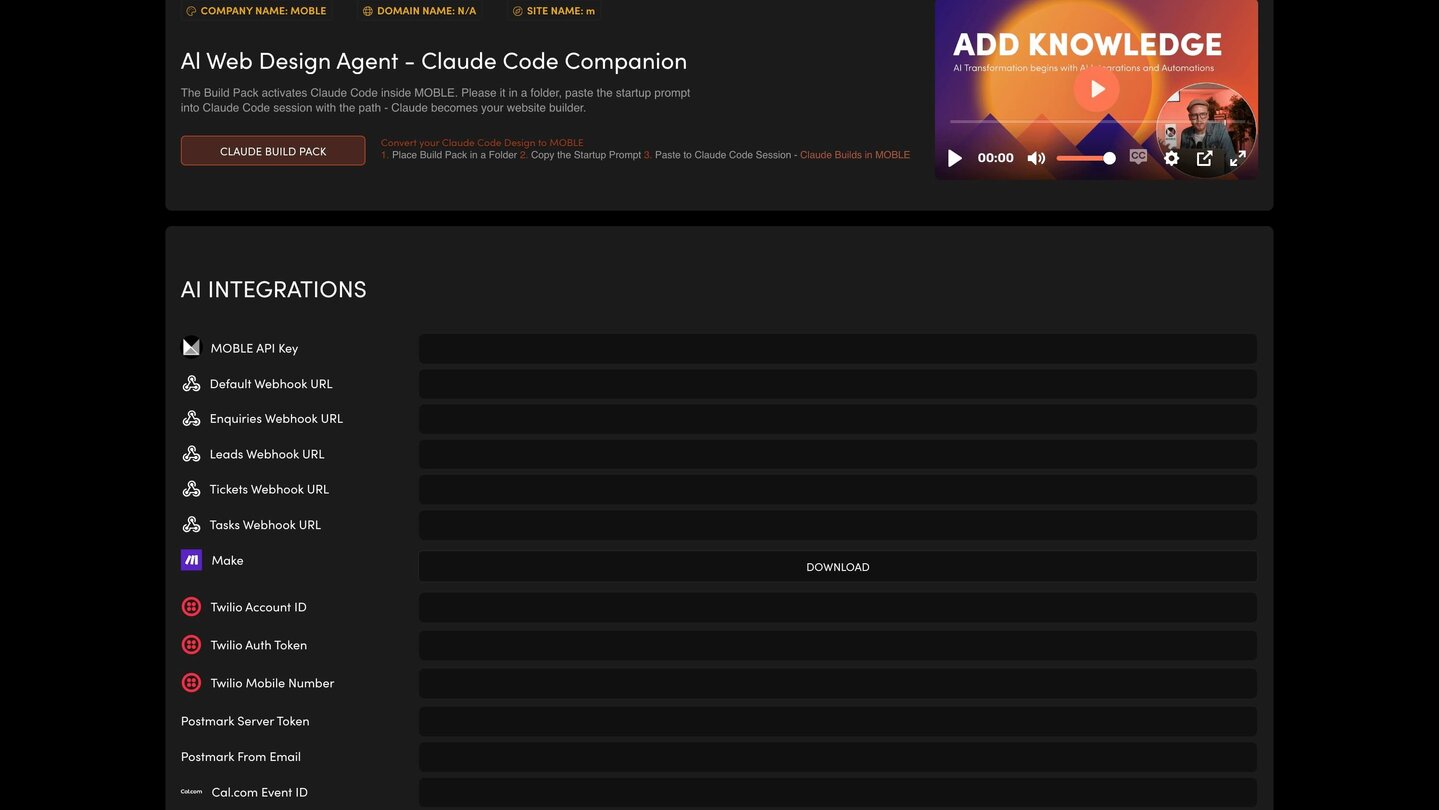
WEBHOOK URLS
A webhook is an address in another tool that is waiting for your data. Add one here and your website sends its records there, so your workflow tool can act on them — send an email, add a row, update your CRM.
THE FIELDS
- Enquiries Webhook URL, Leads Webhook URL, Tickets Webhook URL and Tasks Webhook URL — one for each board.
- Default Webhook URL.
HOW TO CONNECT ONE
- In your workflow tool (for example n8n, Make or Zapier), create a workflow that starts with a webhook and copy its address.
- Paste it into the matching field on AI Integrations. The same fields appear on your Settings screen; fill them in once, on either screen.
Press SAVE at the top right. Nothing on the screen is kept until you do.
TEST IT
Create a test enquiry or lead and check it arrives in your workflow tool.
NEED A HAND?
If you'd rather have AI agents that act on your leads and tickets without an outside workflow tool, ask about a dedicated AI Sales or Support Agent.
RELATED HELP
Play before you Pay?
GETTING AROUND
SUPPORT
AI SALES LINE
AI SUPPORT LINE
ENQUIRIES
team@moble.com.au
GET A QUOTE
A Web Builder for Design. A CMS for Business. We serve all businesses from SME's to Enterprise. Talk with us for AI development, custom website design, website development, ecommerce websites, directories, intranets and social networks.
PRIVACY | WEBSITE TERMS | PLATFORM TERMS | © 2026 MOBLE PTY LTD