
PICK YOUR AI THEME TO GET STARTED

VOICEBOT INTEGRATIONS
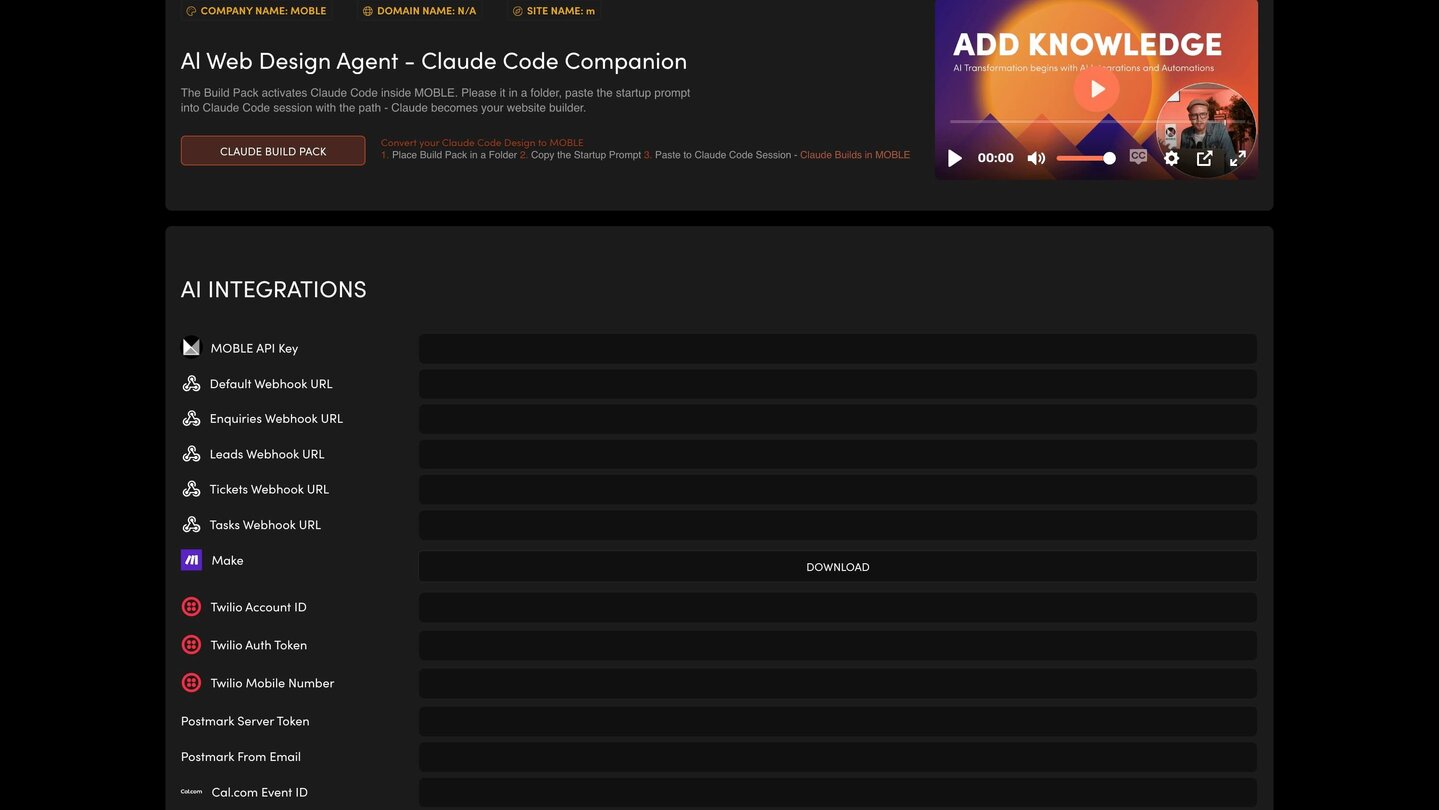
Your AI Voicebot uses three outside accounts: Twilio for its phone number, Cal.com to book meetings and ElevenLabs for its voice. You add all three on the AI Integrations screen.
TWILIO — THE PHONE NUMBER
Your Voicebot uses your Twilio number for inbound and outbound calls and SMS. Fill in Twilio Account ID, Twilio Auth Token and Twilio Mobile Number.
CAL.COM — BOOKINGS
- Create a free account at cal.com.
- Create an API key (Settings → API Keys) and paste it into Cal.com API Key.
- Create an Event Type for the meetings your Voicebot will book. The 6-digit number at the end of that event's web address is the Cal.com Event ID.
ELEVENLABS — THE VOICE
- Create or log in to your account at elevenlabs.io.
- Find your API key (Profile → API Key) and paste it into ElevenLabs API Key.
- Choose a voice, or clone your own (Voices → Add a New Voice), and add its ElevenLabs Voice ID.
With no ElevenLabs key, MOBLE uses preselected sample voices.
SAVE AND TEST
Press SAVE, then give your Voicebot a test call. Keep every key and token private: never paste them in an email or a chat.
RELATED HELP
Play before you Pay?
GETTING AROUND
SUPPORT
AI SALES LINE
AI SUPPORT LINE
ENQUIRIES
team@moble.com.au
GET A QUOTE
A Web Builder for Design. A CMS for Business. We serve all businesses from SME's to Enterprise. Talk with us for AI development, custom website design, website development, ecommerce websites, directories, intranets and social networks.
PRIVACY | WEBSITE TERMS | PLATFORM TERMS | © 2026 MOBLE PTY LTD