
PICK YOUR AI THEME TO GET STARTED

TAG GROUP, COLOUR AND IMAGE
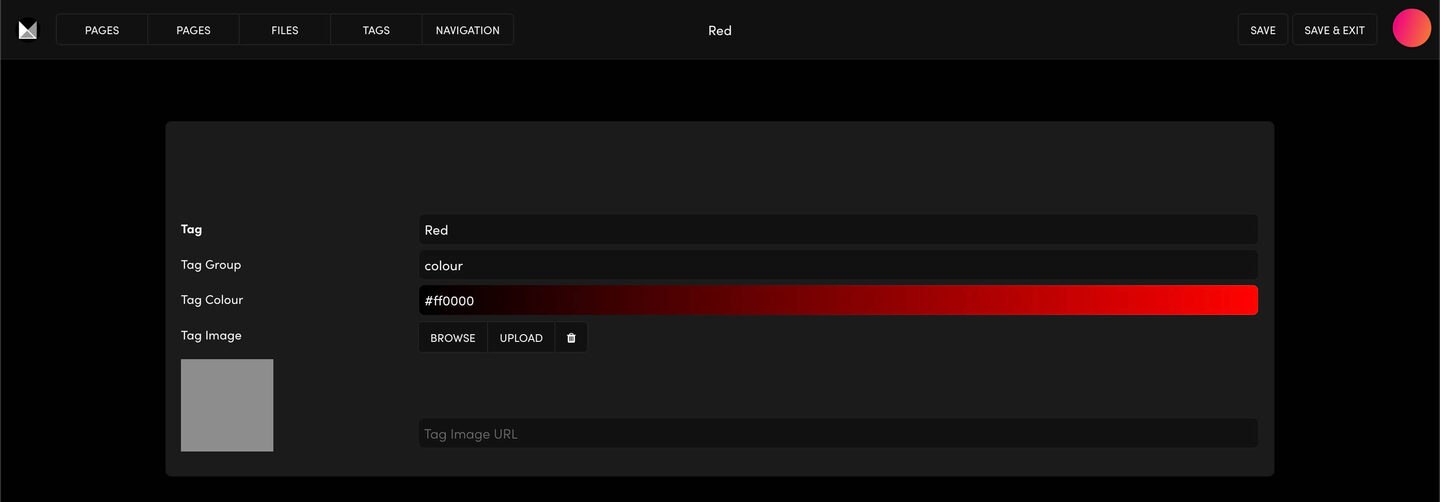
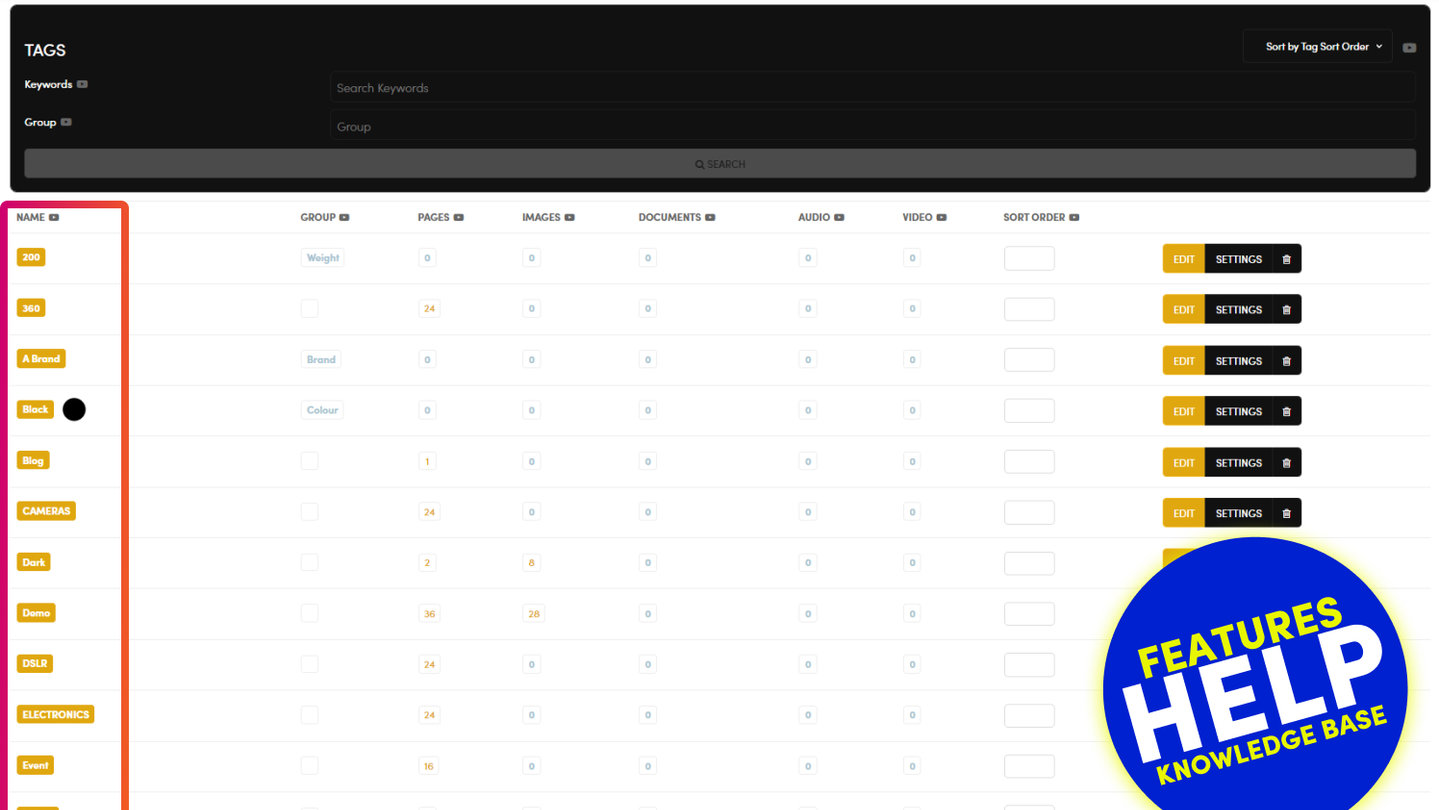
Press SETTINGS on a tag in the Tags Manager to give it a Group, a Colour and an Image. They turn plain tags into product options such as colours and sizes.
The tag editor has four fields.
- Tag: the tag's name. Renaming it here moves every item carrying it to the new name.
- Tag Group: puts tags together, for example colour, size or material. A Size group might hold S, M and L.
- Tag Colour: a colour code such as #ff0000, shown as a swatch for a colour option.
- Tag Image: BROWSE or UPLOAD a swatch picture, for example a fabric or a metal finish.
An everyday content tag, such as Testimonial or FAQ, needs none of these.
Press SAVE or SAVE & EXIT. If you renamed the tag, check the pages whose widgets used the old name.
RELATED HELP
Play before you Pay?
GETTING AROUND
SUPPORT
AI SALES LINE
AI SUPPORT LINE
ENQUIRIES
team@moble.com.au
GET A QUOTE
A Web Builder for Design. A CMS for Business. We serve all businesses from SME's to Enterprise. Talk with us for AI development, custom website design, website development, ecommerce websites, directories, intranets and social networks.
PRIVACY | WEBSITE TERMS | PLATFORM TERMS | © 2026 MOBLE PTY LTD